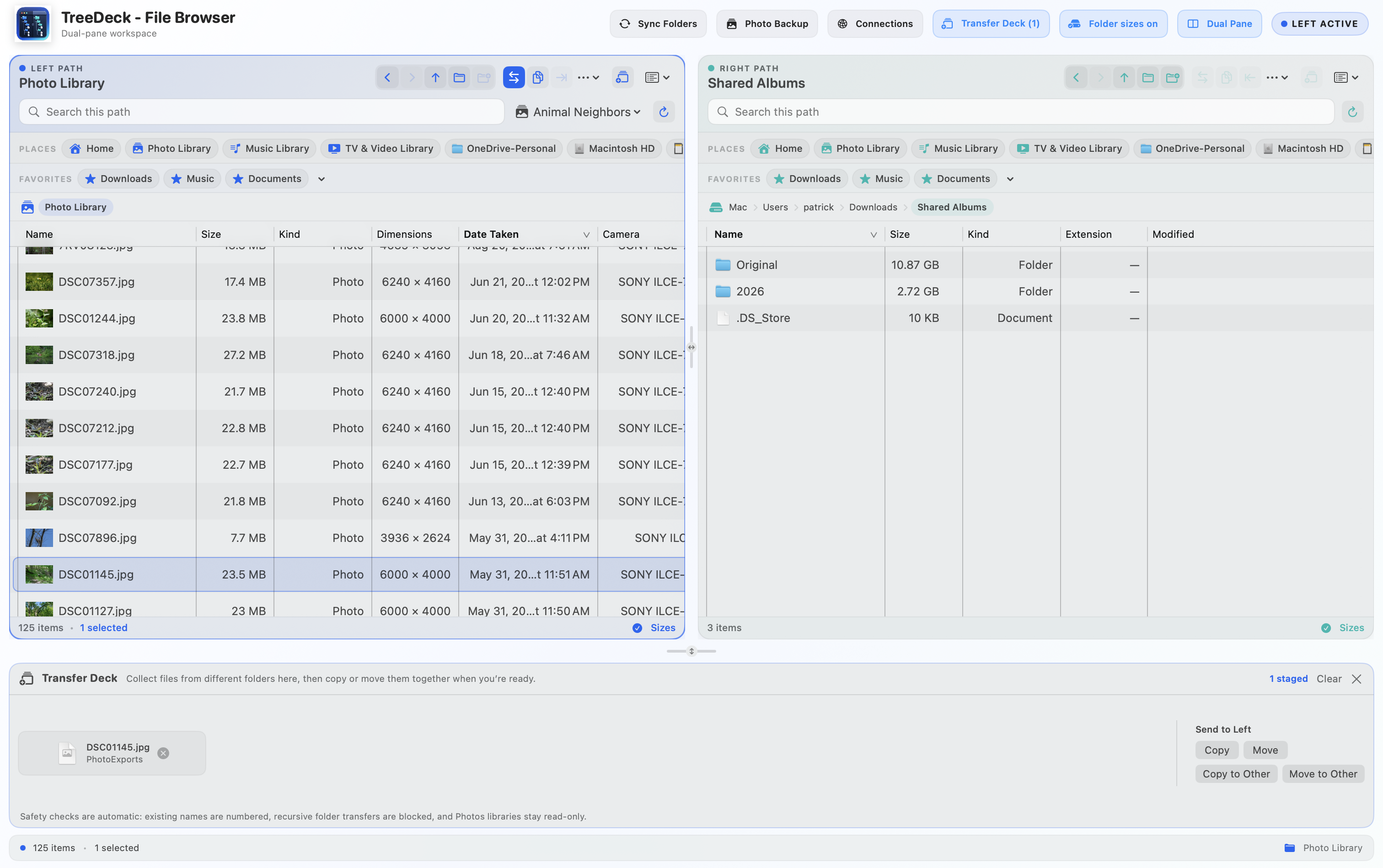
Power-user controls
Configure Finder-style columns, calculate recursive folder sizes on demand, keep folders first, reveal hidden files, copy paths, and save frequently used locations as favorites.
 Cardinate Apps
Productivity · Available for Mac
Browse and manage files with two independent panes, Finder-style columns, recursive folder sizes, and photo EXIF details — built for Mac power users.
Prices are subject to change, may exclude taxes, and local prices are determined by the Apple App Store.
TreeDeck places two fully independent file-browser panes side by side, each with its own navigation, path, selection, search, and view. Move between locations without repeatedly backing out of folders, and keep large or slow directories responsive with background loading and live updates.
Designed for daily file work
Configure Finder-style columns, calculate recursive folder sizes on demand, keep folders first, reveal hidden files, copy paths, and save frequently used locations as favorites.
Browse Photos as a library-safe virtual location with thumbnails, sizes, dimensions, dates, camera details, aperture, ISO, and focal length—without exposing the Photos database package.
When requested, TreeDeck uses cleaned search terms to find movie data from Wikidata or TV episodes from TVmaze. You review every match before a filename changes.
Privacy by design
TreeDeck has no accounts, analytics, advertising, or tracking SDKs. It runs inside the App Sandbox and accesses only the folders, drives, and Photos library you choose. Optional movie and TV lookups occur only at your request and send minimal, locally cleaned search terms—not file contents or paths.
Mac workspace